Creating a website with AI today means describing your business in plain language, getting a multi-page first draft, then refining it in chat until you publish. It is no longer an agency-only project. AI builders (Hostinger Horizons, Lovable, Wix AI, Cadrant, and others) compress the build phase: structure, starter copy, responsive layout. According to the Stanford Web Credibility Project, many people still judge a company's trustworthiness from its website. AI speeds production; it does not replace a clear message and a careful launch.
This guide answers the practical question: how to go from a brief to a live site. Less design and SEO theory, more method, tool choice, and guardrails before you publish. You will find an actionable path, a table of the most cited solutions, and a go-live checklist you can apply the same day.

What AI speeds up (and what it does not replace)
An AI builder shines on repetitive startup work. You save time on the sitemap, Home / Services / About / Contact blocks, a first copy pass, and a responsive baseline. Hostinger describes Horizons as a fully conversational flow: you describe, it generates, you iterate in chat (Hostinger's Horizons post).
In practice, the loop looks like this: you state an intention, the tool proposes a structure, you fix what is wrong or too generic, then you ask for a targeted change. Each round shortens the gap between "idea in your head" and "usable page." That is where AI saves the most time, not on the strategic choice of your offer.
What AI will not decide for you: the site's job (leads, bookings, simple presence), accurate facts (prices, hours, legal pages), and when a draft is good enough to go public. Treat the model as a fast implementation partner, not a marketing director.
Takeaway
If you cannot say who the site is for and which single action you want, the best builder will only ship confusion faster. One goal sentence before the first prompt improves the output.
Steps to create a site with AI
1. Clarify the brief in five minutes
Before you open a tool, write four lines:
- Who you are and who you serve (trade + audience).
- The main action you want (call, email, book, request a quote).
- Must-have pages (often 4 to 8 for a brochure site).
- Proof you can show (work samples, reviews, certifications).
That brief becomes your first prompt. The more concrete it is ("physio clinic in Lyon, booking, 5 pages"), the fewer messages you spend fixing off-topic drafts. Also add what you refuse: no shop, no blog, no technical jargon. Negative constraints help as much as the page list.
A useful starter prompt: "Create a brochure site for [trade] in [city], aimed at [audience]. Pages: Home, Services, About, Contact. Main CTA: [action]. Tone: clear and professional. Include a short form and opening hours." Replace the brackets, send it, then work page by page.
2. Pick the right kind of tool
Not every "AI website builder" solves the same job. Some target a fast business presence with hosting bundled. Others generate full-stack web apps (accounts, databases). Others stay close to classic site builders, with AI to accelerate the first draft.
Three questions are enough to filter: do you need user accounts? a business database? hosting already bundled with the builder? If the first two answers are no, a brochure-oriented tool is usually simpler and cheaper than an app builder.
| Solution | Best for | Hosting | Main strength |
|---|---|---|---|
| Hostinger Horizons | Small business, simple site live fast | Often bundled with Hostinger hosting | All-in-one, chat flow, little setup |
| Lovable | Web apps with logic, auth, data | Cloud / export; less "brochure only" | Modern stack (React, backend) |
| Wix AI | Guided sites, rich templates | Hosted on Wix | Large ecosystem, conversational assistant |
| Cadrant | Multi-page sites and apps, chat iteration | Included (Starter plan for a brochure site) | Natural language + site or web app as needed |
Simple rule: brochure site or landing → a site-oriented builder (Horizons, Wix, Cadrant Site). User accounts, persistent data, or a software product → an app-oriented builder (Lovable, or Cadrant as a web app). For a deeper Horizons vs Cadrant comparison, see Hostinger Horizons vs Cadrant.
Also avoid over-choice. If your need is "reachable online this week," start with a site builder and a short brief. You can always migrate or expand later. Switching tools twice before publishing a useful first contact costs more than an average entry plan.
3. Generate, iterate, then publish
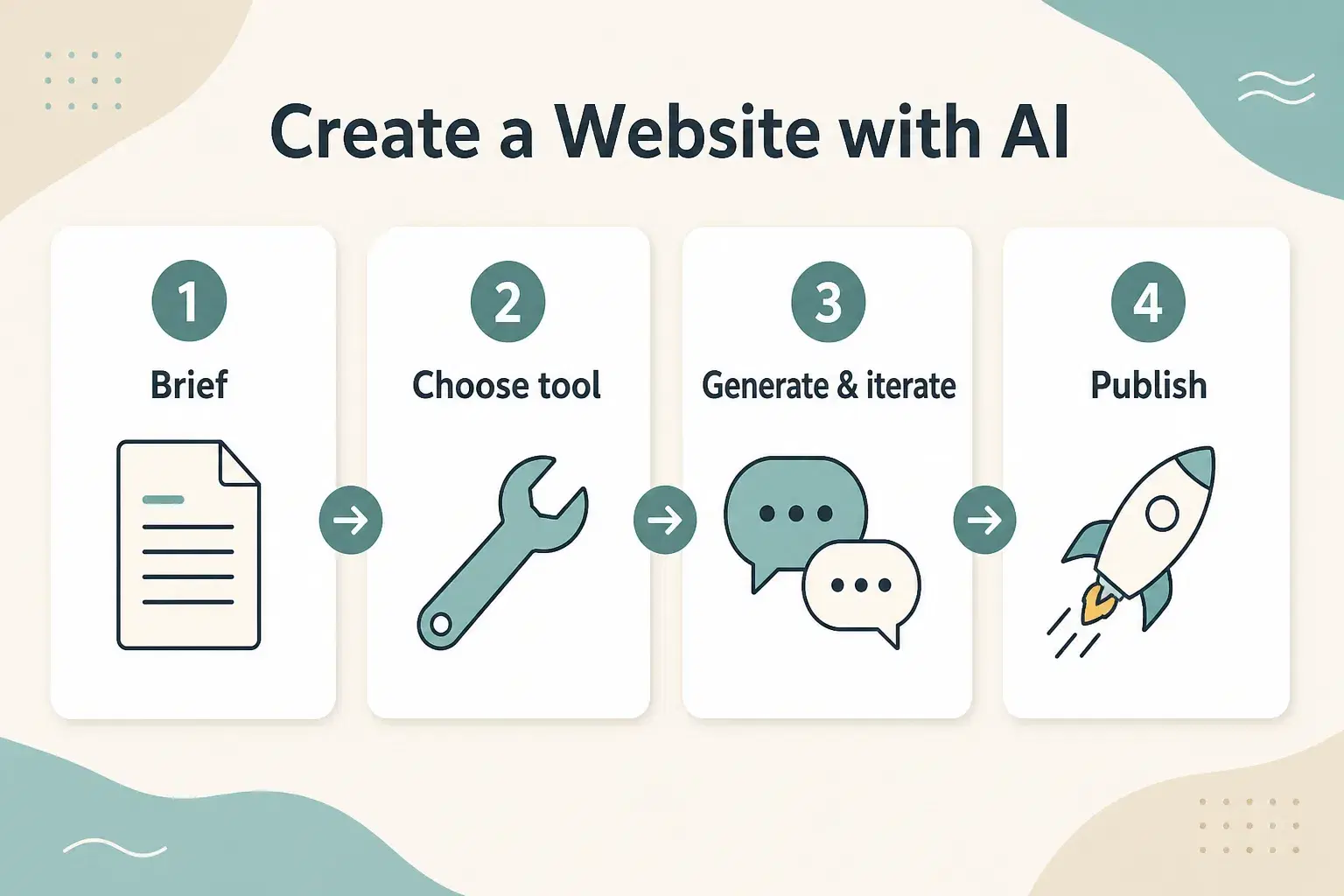
- Paste your brief and ask for a first structure (pages + sections).
- Review page by page: fix facts, CTAs, and generic copy.
- Iterate with short messages ("replace the hero", "add a short form") instead of one mega-prompt that rebuilds everything.
- Connect the domain, check mobile, test the form, then publish.
Common mistakes: accepting the first draft without checking contact details, leaving vague headlines ("Our innovative solutions"), asking for ten changes in one message, or publishing without testing form submission. An efficient rhythm: one change, one preview, one validation.
On Cadrant, showcase sites are multi-page sites with a built-in contact form; the Starter plan (€20/month) includes hosting and related features, per product docs. If you need a database or authentication, move to a web app instead of forcing a brochure site.
Go-live checklist
Generation is fast; going live is still an editorial act. Run through this list before you connect the public domain.
- Goal and primary CTA visible on the homepage.
- Real contact details (no AI placeholders).
- Minimum legal pages if you serve customers (notices, privacy as required).
- Mobile check: menu, buttons, and form usable by touch.
- Domain connected and HTTPS active.
- Human pass on generated copy (tone, claims, numbers).
- Test form submission to your real inbox.
- Internal and external links that go where they should.
The 48 hours after launch
Once the site is live, do not dive back into a redesign spiral. Check that form messages arrive, that the phone number works on mobile, and that the homepage still states the right offer. Note recurring questions from early visitors: they often point to the next section to clarify, not a new visual theme.
If nobody contacts you at first, it may not be an AI tool problem. First check whether the URL is circulating (email signature, Google Business, social networks, business card) and whether the CTA is clear in five seconds. AI sped up construction; distribution and offer clarity remain your job.
After the brochure site
If your next need is a single page for an offer or campaign, the format changes: a landing page is built around one conversion. See how to create a landing page with AI.
In short: creating a website with AI means framing the goal, picking the right tool for the project type, generating, correcting fast, then publishing with a short checklist. Perfect design and advanced SEO can wait until a useful version is live and real visitors can contact you.