A wedding website is not a storefront for the whole internet: it is the practical hub for your day. Date, venues, times, parking, hotels, dress code, RSVP and gift list live in one place, instead of a dozen WhatsApp threads. This guide helps you build a site that guests actually use, readable on a phone, with the pages that matter and a realistic tool choice for 2026.

Why create a wedding website?
Guests always ask the same questions: what time to arrive, where to park, is there a shuttle, can we bring kids, which hotel to book, is a suit required. A site answers once, with up-to-date information. You save time; they stop waiting for a Sunday-night reply.
- One URL for save-the-dates, paper invites or QR codes.
- Centralised RSVPs you can export for catering and seating.
- Easy updates when a venue or hotel changes.
- Your tone of voice, without a platform banner.
What the site replaces
Group chats, emailed PDFs, screenshot directions, shared spreadsheets… A good wedding site turns all of that into short, stable pages guests can open on mobile.
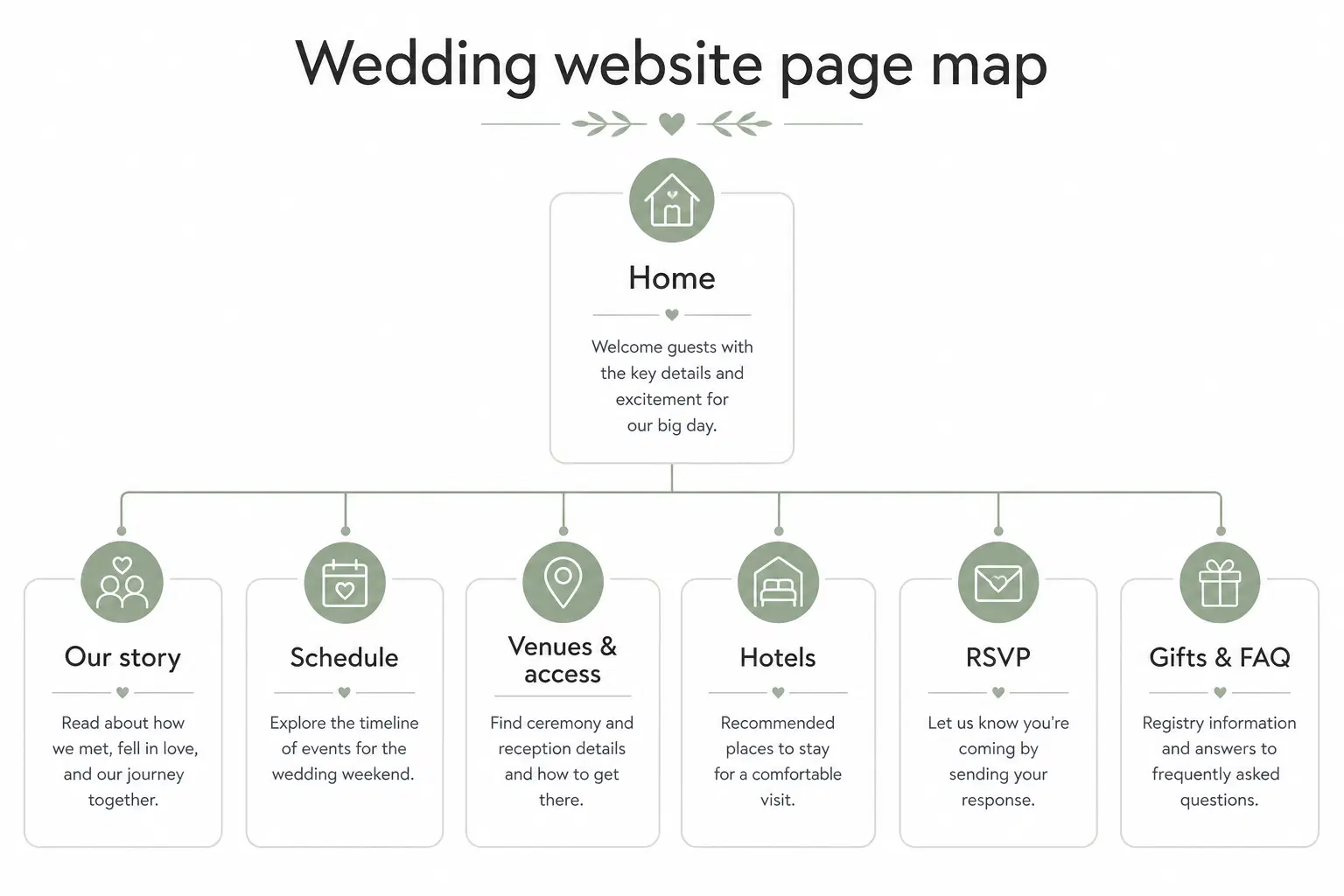
Essential pages for a wedding website
Keep the structure short. Too many pages delays launch; too few forces endless scrolling. Six to eight sections cover most couples, as multi-page or as a one-pager with anchors. For a tightly focused single page, see how to create a landing page; for a clean multi-page layout, the showcase website guide is a solid compass.
Home
Names, date, city, optional countdown, RSVP button above the fold. A real photo of you beats a stock image seen everywhere.
Our story (optional)
A few personal lines for guests who only know one side of the couple, not a novel.
Schedule
Exact times: ceremony, drinks, dinner, party. Note adult-only segments and free time.
Venues and access
Full addresses, map links, parking, transit, shuttles. Often the most opened page on the day.
Hotels
Two or three options with price range, distance and any promo code.
RSVP
Clear form with a deadline, details below.
Gifts and registry
List, fund link, or a simple “your presence is enough”. Avoid awkward wording.
FAQ
Dress code, kids, dietary needs, gifts, day-of contact. Four to eight short answers close most private messages.
An RSVP that helps you organise
The form only helps if it collects what catering and seating need, nothing more. Ask for name, headcount, meal choice if relevant, allergies, and a free-text field. According to Brides, many planners use a rough rule of about 80% “yes” when most guests are not travelling far, useful for sizing, never a guarantee.
RSVP deadline
Set a deadline 3–4 weeks before the day, put it on the home page and invite, then nudge late replies once. An RSVP without a deadline becomes endless manual chasing.
What to publish, and what to skip?
| Include | Avoid |
|---|---|
| Exact addresses + map links | Vague directions (“near the station”) |
| Schedule times | Unannounced logistics surprises |
| Dress code in one sentence | Long moralising rules |
| Clear kids policy | Awkward hints |
| Day-of contact (witness / planner) | Your personal numbers everywhere |
| Compressed, light photos | 40 MB albums that crash phones |
Design, mobile and photos
Most guests open the link on a phone. Readable text, large buttons, enough contrast, compressed WebP images. Two or three strong photos beat a gallery that takes ten seconds to load. Google’s SEO starter guide still applies: useful pages, clear structure, mobile experience, even for a “private” link-shared site.
Domain, sharing and structured data
A short URL is easier to remember than a long subdomain. Print a QR code on the save-the-date. If you want search engines to understand date and place better, Google documents Event structured data, mainly useful when part of the site is public.
Wedding template, custom site or AI builder?
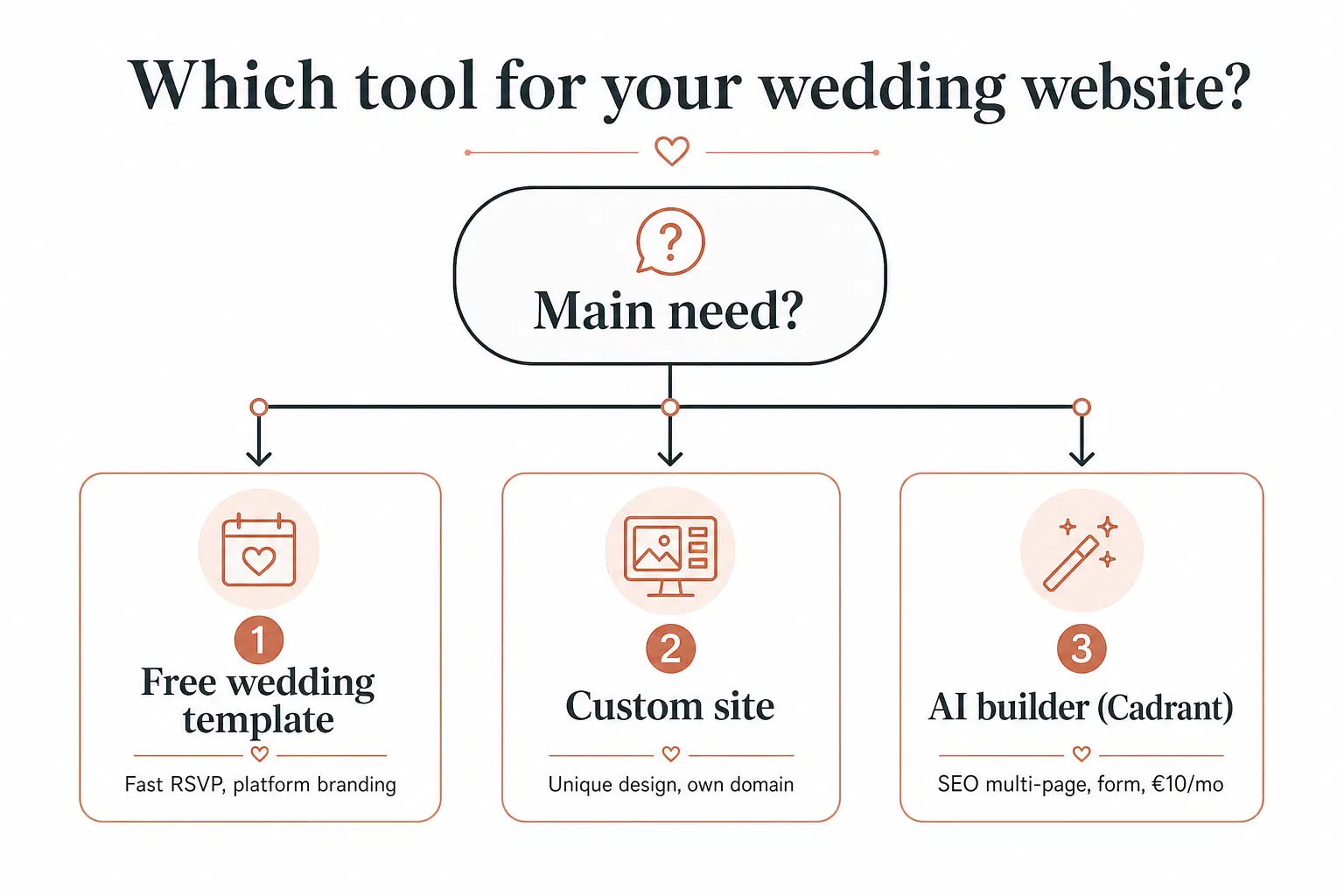
Specialised builders shine for ready-made RSVP. A custom site wins on design, domain and no third-party branding. An AI builder like Cadrant sits in between: describe pages in plain language, publish quickly, iterate without code.
| Option | Best if… | Typical limit |
|---|---|---|
| Wedding template | You want RSVP in one evening | Design and platform branding |
| Custom site | You care about a unique look | More time or budget |
| Cadrant (Starter plan) | You want SEO multi-pages + form at €20/month | Not a hyper-specialised wedding tool |
Build your wedding website with Cadrant
Cadrant websites are multi-page sites optimised for SEO and performance, with a built-in contact form, messages land in your dashboard, with optional email alerts. Documented use cases include event websites. The Starter plan at €20 per month includes hosting and the form; publish on a Cadrant URL, then attach your own domain with HTTPS.
- Describe the couple, date, venues and schedule in a few sentences.
- Ask for pages: home, schedule, venues, hotels, RSVP, FAQ.
- Tune the form (name, attendance, meal, allergies) in conversation.
- Publish, test on a phone, then add a custom domain.
A good wedding website does not try to impress the internet: it answers guest questions, collects RSVPs on time and loads fast on a phone. Publish the essentials first, date, venues, RSVP, then improve weekly. That living version, not the perfect redesign you keep postponing, is what actually eases planning.