In architecture, clients choose with their eyes first and with trust second. A private client compares images for weeks before approaching the first practice, looking for a design language that matches their own. A well-built architect website meets them exactly there: it shows projects comparable to theirs, it clarifies the scope of your appointments, it gives realistic markers on fees and programme, and it makes getting in touch straightforward. This guide covers site structure, content, local SEO and conversion.

Why an architect website is judged on images first?
According to Google, 46% of searches have local intent, and 76% of those searches result in a visit or contact within 24 hours. Your output is visual by nature: volume, light, materials and the relationship to the site. No list of competencies replaces a series of well-composed photographs and legible drawings. Someone considering an extension or a deep retrofit is mainly checking whether your work looks like what they imagine. Then comes trust, which weighs just as much: entrusting a project worth several hundred thousand pounds requires understanding your method, your role in the planning process and how you run a contract on site. Images open the door, clarity of process wins the commission.
Your site is the only portfolio you control
Many practices publish only on Instagram or on architecture publishing platforms. That helps visibility among peers, but these are rented spaces: the algorithm decides reach, the format strips context from images, the archive becomes unreadable, and a social post barely ranks in search.
Your own site does the opposite. It organises projects by type and scale, it keeps the context of each commission, and it ranks for local queries with real intent. The right approach is to post on social channels to capture attention, then link through to the full project page on your domain, with drawings, programme and photography credits.
What clients check before they contact you?
Before writing to you, a client is working out whether they are in the right place. Six pieces of information shape that decision, and your site should surface them quickly.
- Design language: restrained contemporary, heritage refurbishment, timber construction, reuse of materials.
- Project scale: a 30 m² extension, a private house, a building refurbishment, a public commission. Visitors look for a comparable precedent.
- Fee basis: fees expressed as a percentage of construction cost or as a fixed sum, depending on the appointment. Explain the principle, not a rate card.
- Programme: realistic ranges for design stages, planning determination and construction.
- Geographic coverage: the regions where you genuinely take on work.
- Scope of appointment: a full service through to construction administration, or a partial service limited to design and the planning application.
The page architecture an architect website needs
A legible structure beats a graphic statement that is hard to navigate.
Home
One strong image, one sentence stating what you design and where, three featured projects and a single call to action. Avoid entry animations that delay access to the content.
Portfolio by project type
Group work by programme rather than by date: new-build house, extension, deep retrofit, roof addition, residential development, workplace, interior fit-out. A filter by type sends visitors straight to what concerns them.
Detailed project pages
Every significant commission deserves its own URL, with plans, sections, photography and a description of the brief. This format converts best and captures the most long-tail search traffic.
Services and process
Describe your stages in language a non-specialist understands: feasibility, concept design, developed design, planning application, tendering, construction stage and completion. Set out clearly what a full appointment includes and what falls under a partial one.
About
Introduce the practice, the directors, the founding year, your approach and your qualifications. State your professional registration, which governs use of the title of architect in most countries.
Fees and indicative budgets
Explain how your fees are built and what makes them move: complexity, scope of appointment, new-build or existing fabric. There is no official mandatory fee scale, so present ranges specific to your practice and never as a regulatory rule.
Contact
A qualifying form, a phone number, the studio address, your coverage area and a stated response time.
The project page that turns a visitor into a client
An effective case study always follows the same structure: context, constraint, solution, result. The context gives the location, the brief, the floor area and the type of client. The constraint is the decisive section: a narrow plot, a restrictive planning policy, historic fabric to retain, energy performance requirements on a retrofit, a capped budget. It is what demonstrates your added value.
The solution sets out your planning, material and construction decisions, along with the real duration of design and works. The result presents the finished photography, plus before images where the project is a retrofit, and an order-of-magnitude budget range. Close with photography credits and a targeted call to action.
Photography, drawings and media: show more without slowing down
Professional architectural photography pays for itself: it serves the website, the press and award submissions. Complement it with documents only your profession can produce, because they demonstrate the design work as much as the outcome.
- Serve images as WebP or AVIF, in several sizes depending on screen width.
- Enable lazy loading below the fold and target under 1.5 MB per page on mobile.
- Publish plans, sections and axonometrics in simplified versions that stay legible on a small screen.
- Use visualisations for unbuilt projects, clearly labelled as such.
- Write descriptive alt text: timber extension to a terraced house in Manchester, rather than project 07.
Local SEO: being found in your territory
Google Business Profile and NAP consistency
Create and verify your Google Business Profile with the studio address, post photographs of completed projects and request reviews from clients after handover. Your name, address and phone number must be identical on the site, the listing and professional directories: any divergence weakens your local signal.
Pages by town and by project type
If you work mainly around London, build pages for the boroughs that represent a real share of your workload, each with genuine content: projects completed there, particular planning context, visible references. Then combine place and programme to capture long-tail intent, for example rear extension architect in Hackney or loft conversion design in Islington. Never duplicate a page by swapping only the place name.
Technical SEO, performance and AI answer engines
Performance on image-heavy pages
Most of your visitors browse on a phone. Design mobile-first and watch your Core Web Vitals, particularly LCP, which is very exposed on full-width project pages. Reserve image dimensions to avoid layout shift, link each project page to the relevant project type and service, and take accessibility seriously: contrast, keyboard navigation, alt text. Add LocalBusiness and ProfessionalService structured data in JSON-LD.
Getting cited by answer engines
More clients now ask a conversational assistant before opening a traditional search engine. These systems reuse factual, structured content. Answer the questions clients actually ask, keep a structured FAQ, and state your entities clearly: practice name, professional registration, coverage area, project types, founding year. Abstract practice rhetoric is never quoted; verifiable information often is.
Converting: qualify rather than collect
One primary call to action per page, repeated two or three times, is enough. Your form should qualify the enquiry, not simply capture an address. Ask for the nature of the project, the location, the floor area, whether it is new-build or existing fabric, the construction budget in mind and the timescale. Offer a short introductory call with limited slots. This filtering sharply reduces meetings that go nowhere.
Registration, insurance, data protection and image rights
Display your full legal details, the legal form of the practice, your professional registration number and your professional indemnity insurance. These are often the first credibility check for an informed client. Also describe the scope of your role in planning consents and in current energy performance requirements, without quoting legislation you have not verified.
On forms, apply data protection rules: purpose, explicit consent, retention period and a contact for the data controller. On images, always credit the photographer and check the extent of the licence granted. Obtain the client's agreement before publishing a private project and never disclose the exact address of a home.
Measuring what actually matters
Traffic is not an objective. Track genuinely qualified enquiries, how well they fit your positioning, and how many convert into signed appointments.
- Qualified enquiries per month, by traffic source.
- Most-viewed project pages and reading time, a direct signal of what attracts your market.
- Queries and positions in Google Search Console, especially place plus project type combinations.
- The split between new-build, extension and refurbishment enquiries, to steer future content.
Building your architect website without code using Cadrant
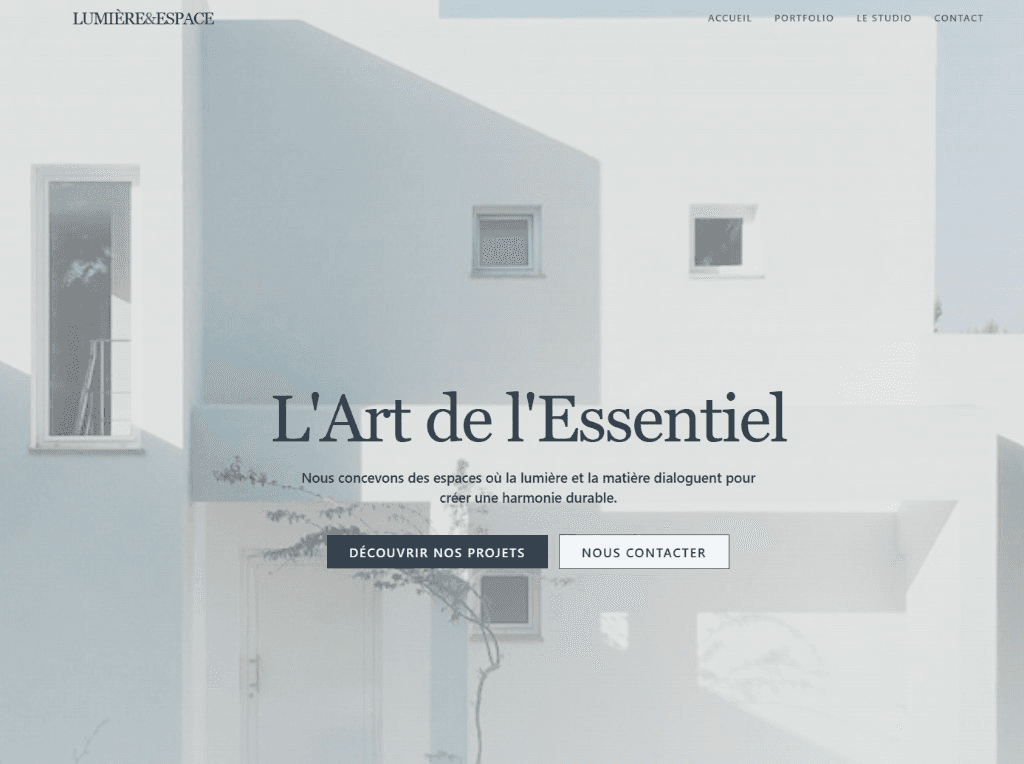
You do not need a developer for this structure. With Cadrant, you describe the site you want in plain language: your portfolio categories, your project page template with drawings and credits, your coverage area and your qualifying form. The platform generates the pages and you refine them through conversation. The real issue for a practice is independence: publishing a completed project should never wait on a supplier's availability.
In summary
An effective architect website rests on a portfolio organised by project type, documented project pages with drawings and context, local SEO aligned with your territory, and complete clarity on your appointments and professional credentials. Document six commissions, publish a simple structure, then extend it with every completion.