Looking for the best free website builder in 2026 usually means wanting two things at once: pay nothing, and still look credible to clients. There isn't a single winner, there is a decision frame: what kind of project, which limits you can live with, and when free starts holding you back. According to Wix itself, a free plan can be enough to build and publish, while capping storage, bandwidth, and business features. This guide compares the options that actually help, explains the traps, and walks through Cadrant's path, Freemium, then the Site plan at $10 per month, when you want a clean showcase site.
What “free” really means in 2026
Almost every “free website builder” is freemium. You build without a credit card, then you pay to remove branding, connect a custom domain, unlock e-commerce, or go past a technical cap. That isn't a scam, it's a business model, as long as you read the fine print before you get locked in.
Checklist before you choose
Ask five questions: Can I use my own domain? Is there a visible ad or platform logo? What's the storage / bandwidth cap? Can I export my content easily? Are a contact form and HTTPS included? If three answers are “no” and you're pitching clients, budget for the entry paid plan already.
Best free website builders compared
Here is a practical read of the options people cite most often, not a marketing podium. Free-tier numbers change: always check the official page before you decide. For Wix, the free plan advertises up to 500 MB of storage and 1 GB of bandwidth (Wix storage docs).
| Builder | Best for | Free limits | When to go paid |
|---|---|---|---|
| Wix | Design-rich prototypes, first experiments | Wix subdomain, branding, capped storage / bandwidth | As soon as a client should see your brand, not Wix's |
| Google Sites | Internal pages, nonprofits, school projects | Basic design, little advanced marketing / SEO | Rarely: switch tools if you need commerce |
| WordPress.com | Personal blogs, long-form content | Subdomain; monetization and plugins restricted | When you want a real .com and more control |
| Carrd / one-pagers | CV, event, single landing page | Few pages, free-tier branding | As soon as you need multi-page or a custom domain |
| Cadrant Freemium | Trying an AI-generated site / app | 15 credits/day; publish on a Cadrant subdomain | Site plan at $10/month for domain + pro hosting |
No free builder replaces a content strategy. Google's SEO starter guide covers the essentials: clear structure, useful pages, mobile experience. A free builder that ships a pretty empty page will not get you found on Google.
How to choose for your project
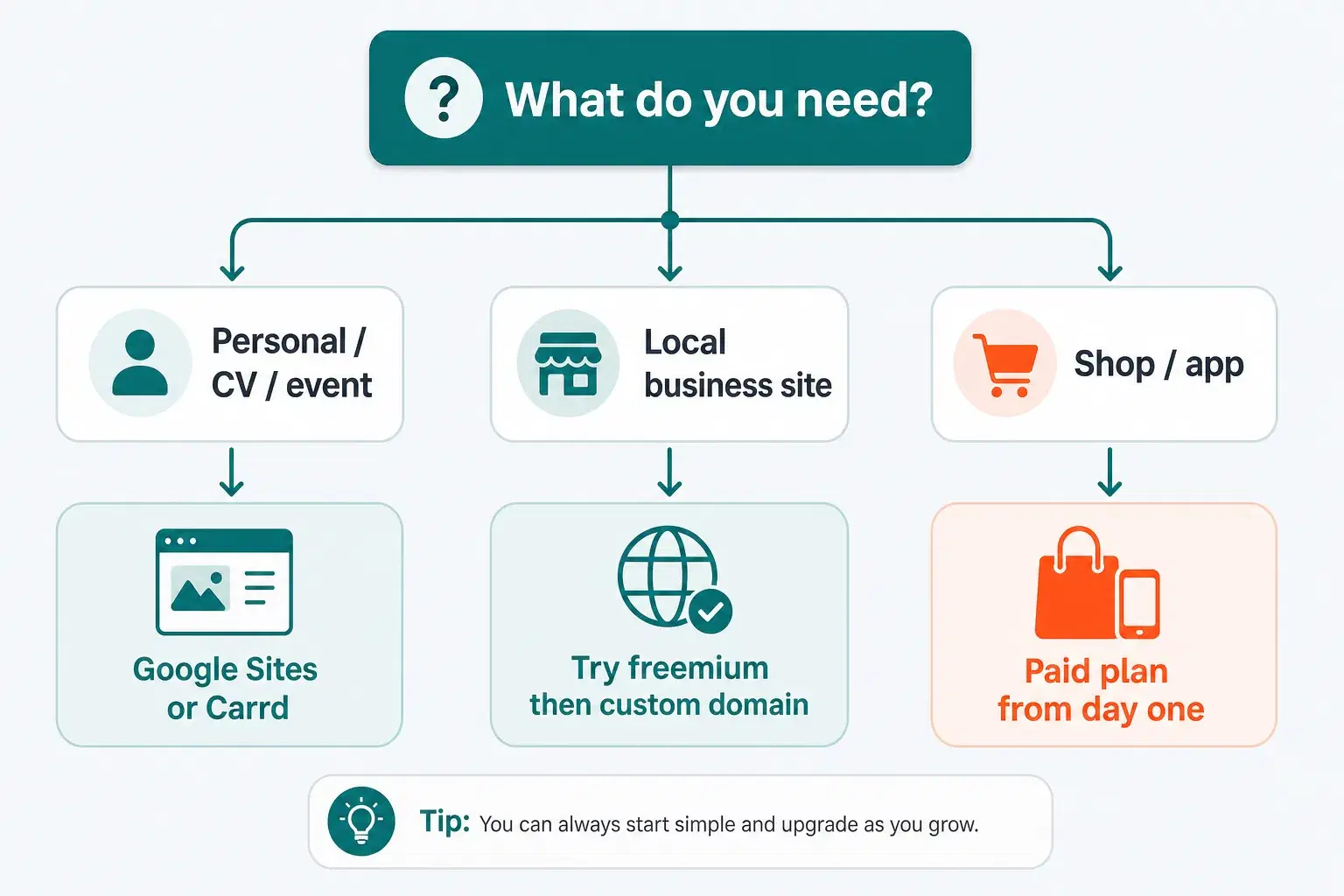
Start with the need, not the builder brand. An online CV, a nonprofit site, and a tradesperson's showcase have different credibility thresholds, and different costs of getting it wrong.
- Personal, CV, one-off event. Google Sites or a free one-pager is often enough. Speed to publish matters more than branding.
- Nonprofit or school project. Stay free if your audience is captive (members, parents). Add a domain only if you fundraise or recruit widely.
- Small business / local site. Test on freemium, then move to the entry plan as soon as you share the URL with a client. A platform subdomain weakens trust.
- Landing page to test an offer. Free can validate the message in a week; if leads start coming, invest in a proper site instead of stacking more free pages.
Cadrant: Freemium to start, then $10 per month
Cadrant is an AI builder: you describe the site in natural language, iterate in conversation, then publish. The pricing path is intentionally simple for a showcase site.
Freemium: build with no commitment
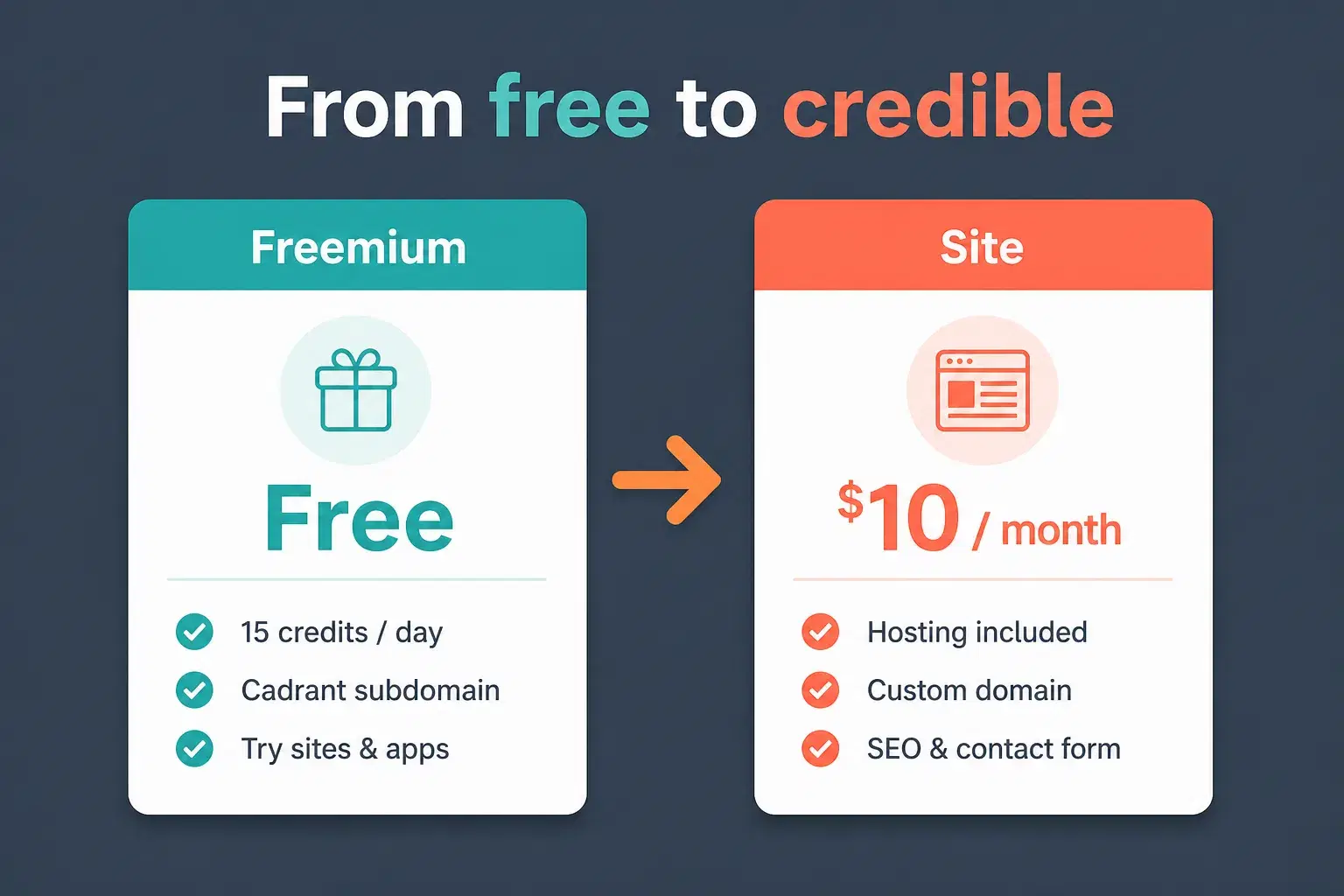
The Freemium plan is free. You can try sites and apps, use the page editor, and publish on a Cadrant subdomain, with 15 credits per day to generate and edit. It's the right mode to validate structure, tone, and a first contact flow, no credit card required.
Site plan at $10/month: the “credible” threshold
When the project becomes a real professional site, the Site plan at $10 per month adds what free shouldn't improvise: hosting, a custom domain, unlimited projects, and monthly credits to keep iterating. Cadrant sites are built as multi-page, SEO-oriented experiences with a contact form and fast loading, the foundation of a professional showcase rather than a temporary page.
Freemium → Site in one line
Stay on Freemium while you're exploring. Move to $10/month as soon as the URL must carry your brand, take client inquiries, and stay live without platform branding.
You publish first on a Cadrant URL to test, then on your domain once it's verified, with an HTTPS certificate. For an app with a database, pricing steps up to Starter next; for a showcase site, $10/month is often the right tier.
When to stay free… and when to go paid
- Stay free if the site is temporary, internal, or purely experimental, and nobody is judging you on the URL.
- Go paid as soon as you print the address on a business card, run ads, or ask a stranger for a quote.
- Avoid the trap of staying free “one more month” while leads are already coming: every visit sees the builder's brand, not yours.
- Count the real cost over a year: domain + entry plan is often cheaper than half a day of agency work. For a line-by-line breakdown, see our guide on website cost.
Bottom line: the best free website builder in 2026 is the one that lets you ship a first version fast without locking you in. For personal use, Google Sites or a free one-pager still work. For a business that needs to convert, try Freemium on Cadrant, then switch to $10/month as soon as the site must carry your name, that's often where “free” finally becomes “professional.”